
Drafting Good Pages by Accident: The Habit That Left My Best Affiliate Page Dark
I clicked a link on my own site expecting it to be broken. Instead it loaded a real page. Just not one that showed up anywhere in my Posts list. That was the moment I realised a good instinct had quietly gone too far.
Where this actually started
A while back I caught a real keyword cannibalisation problem on this site. Two comparison posts were fighting each other for the exact same search intent, and I did the right thing about it. Pulled both back to draft, consolidated everything into one stronger page, and it worked.
The evidence for that one was genuinely solid, not a hunch. Impressions on the overlapping queries kept climbing across every window I checked, but average position kept drifting the wrong way at the same time.
That’s exactly the pattern you’d expect when several of your own pages are quietly competing with each other instead of one page building real authority. Once I pulled the two weaker posts and let the strongest page carry the whole intent on its own, that pattern stopped.
That fix felt good enough that I got cautious about the rest of the site too. Anything that felt like it might be competing with something else got a second look, and a fair bit of it ended up back in draft along with those two posts.
The problem is, that instinct doesn’t come with an off switch built in. Once you’ve seen cannibalisation cost you something real, it’s easy to start seeing it everywhere, including in places it was never actually happening.
A pattern that worked once starts feeling like a rule, and rules applied without checking each case individually are exactly how good instincts turn into new problems.
The link that shouldn’t have gone anywhere
I was checking internal links across the WP Rocket content when I clicked through to my own review of it, wp rocket review. I expected either a working page or a clean 404. What I got instead was a real, fully rendered page, complete with the affiliate link and everything, sitting there like nothing was wrong.
Except when I went looking for it in the Posts list to double check something, it wasn’t there. Not in the published list. Not anywhere obvious.
What was actually happening was a caching quirk layered on top of the real issue. WP Rocket’s own cache was still serving an old, cached version of a page that had genuinely been pulled back to draft. The page I was looking at was a ghost, technically still loading, not actually live in the database anymore.
There’s a fairly pointed irony in that, and I’ll admit it took me a minute to appreciate it properly. The exact tool the review is about is the same tool that made the bug harder to spot in the first place.
Caching is meant to make a page load faster and more reliably, not quietly keep a deleted status alive for longer than it should. It wasn’t a fault in the plugin, just a normal side effect of how caching works, but it meant a status change on the backend didn’t show up as a change on the front end for a while.
Why this one specifically was a problem
Losing any post to an accidental draft is annoying. This one was worse than annoying, because wp rocket review is the actual money page in that whole cluster. It’s the one carrying the real, working affiliate link, the page every other piece of speed content on the site was built to funnel a reader toward.
The vs free plugins comparison linked to it. The Fix Website Speed hub linked to it. Even my own origin story post about switching to WP Rocket in the first place linked to it. Every one of those links had been quietly pointing at a page that wasn’t actually live, for who knows how long, without anything visibly breaking on the surface.
I genuinely can’t tell you the exact number of days it sat like that, and that’s part of the point rather than something I’m glossing over. Nothing about it announced itself.
No error email, no broken link checker flagging it, no visible symptom on the pages linking to it. It only surfaced because I happened to click through manually while checking something else entirely.
If I hadn’t, there’s no telling how much longer three separate pages would have kept sending readers toward a dead end while looking completely fine themselves.
That’s the part that actually costs money. Not a 404 that a reader notices and bounces from. A perfectly normal looking internal link, on a perfectly normal looking page, leading to content that technically doesn’t exist anymore. Nobody sees an error. The affiliate link just never gets clicked, because the page it was supposed to be sitting on had already been pulled.
It wasn’t just the one page either
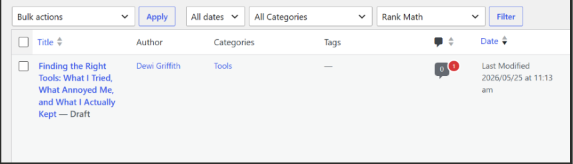
Once I found that, I went back through everything else that had been swept into draft around the same time. A post I’d written about the tools I actually use, Search Console, Semrush, Ahrefs, social scheduling software, had been pulled too, for the exact same reason, general caution rather than any actual competing content.
That one had its own knock on effect. My WP Rocket origin story post links to it by name, and since it was sitting in draft, that link had nowhere real to go either. Same root cause, different page, same quiet cost.
Once I actually pulled the full list of drafts sitting on the site, the scale of it was bigger than I expected.
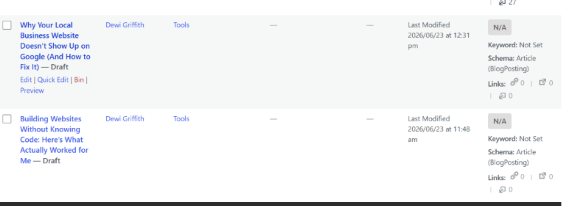
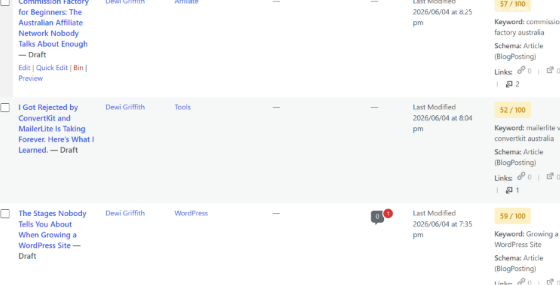
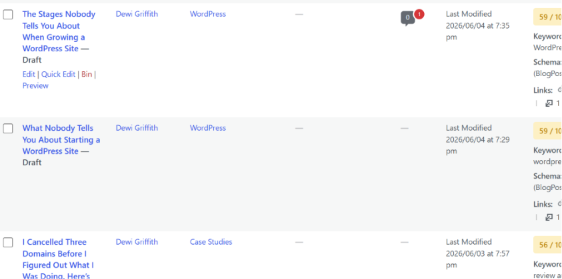
Some of what showed up there genuinely deserved to stay in draft, the Commission Factory piece among them, since it duplicated a page already live and earning clicks. But a handful of others, growing a WordPress site, starting a WordPress site, the three cancelled domains story, had nothing wrong with them at all beyond being caught in the same broad sweep.
The test I should have used from the start
Here’s the distinction that actually matters, and it’s the same one I’d already worked out the first time this happened, I just hadn’t applied it consistently enough. The question isn’t whether two pieces of content are topically related. It’s whether they’re answering the exact same question.
The two Yoast posts that started all of this genuinely were the same question asked twice, three pages competing to tell someone which SEO plugin to pick. Wp rocket review and wp rocket vs free plugins are not that. One is a straight review, is this plugin good, is it worth the money. The other is a head to head against doing it yourself for free. Different questions, different readers, no competition between them at all.
The tools post fails the cannibalisation test even more obviously once you actually run it, since nothing else on the site covers Search Console, Semrush, Ahrefs, or social scheduling tools at all. There was nothing for it to compete with. It got swept up purely on the general mood of caution, not because anything about its content overlapped with another page.
A useful way to actually apply this test, rather than just nodding along with it, is to imagine explaining both pages to someone who’s never seen either one. If you can describe what makes each page necessary in one sentence, and the two sentences are genuinely different, they’re not competing. If you find yourself repeating the same sentence twice with different adjectives, that’s the real sign of overlap worth acting on.
Once I actually ran that test properly instead of going on a general feeling of caution, it was obvious both of those pages should have stayed live the whole time.
This wasn’t an isolated habit either
Around the same time as all this, I was separately chasing down a completely different bug, an old broken link sitting in Search Console since the very first week the site existed. That one turned out to be an About page that had been quietly renamed at some point, with nobody setting up a redirect from the old slug to the new one.
Once I noticed that pattern, I started seeing it everywhere I looked.
A Hostinger review that existed under two different URLs, one of them a duplicate created after a rename. A starting a WordPress site guide that existed as both a dated version and a plain one. Even a privacy policy sitting at two separate addresses.
Drafting good pages by accident and renaming pages without redirecting them are technically two different mistakes, but they share the same root cause underneath. Both come from changing something about a live page, whether that’s its status or its URL, without checking what else on the site was depending on it staying exactly as it was.
What actually fixing it looked like
Republishing it was the easy part, one click back to published status.
The part that actually took effort was checking whether the live version was genuinely fresh afterward, or whether WP Rocket’s cache was still going to serve the old ghost copy for a while longer. Clearing the cache and testing again in a completely fresh incognito window was the only way to be sure it had actually flipped back to real.
The tools post went back up the same way, once I’d confirmed there was nothing actually wrong with the content itself, it had just been caught in the same overly broad sweep.
What I actually check before drafting anything now
The habit I’ve built since is simple enough that there’s no excuse for skipping it. Before pulling anything back to draft, I search the site for that page’s URL first, and see what else is currently linking to it. If something is, I either fix those links at the same time, or I go in accepting they’ll break until the page comes back or gets redirected somewhere else on purpose.
In practice that’s usually a two minute check rather than anything elaborate. Open the page, note its exact URL, then search the rest of the site’s content for that string. If nothing comes back, it’s genuinely safe to draft without leaving a hole behind. If something does come back, that’s the moment to actually stop and think, not after the fact when a reader or a bot has already hit a dead link a dozen times over.
That one extra step would have caught almost everything in this story before it happened. The caution that started this whole thing was never the problem. Applying it without checking what it would actually break was.
If there’s one thing worth taking away from this if you’re running a content site of your own, it’s that the fix for over correcting isn’t to stop being careful. It’s to make the caution specific instead of general.
Ask the actual question, are these two pages competing for the same intent, rather than reaching for a vague sense that something might be too similar. A specific test takes the same amount of time as a vague feeling, it just gives you an answer you can actually trust.