
Half My Website Wasn’t Indexed: What Duplicate Content in Search Console Actually Means
I checked the indexing report on this site and found out just over half of it wasn’t indexed at all. Not a few pages. Fifty four out of a hundred and fifteen. Here’s what was actually behind that number, and the bug from the very first day of this whole project that turned out to be tangled up in it.
Sixty one indexed, fifty four not
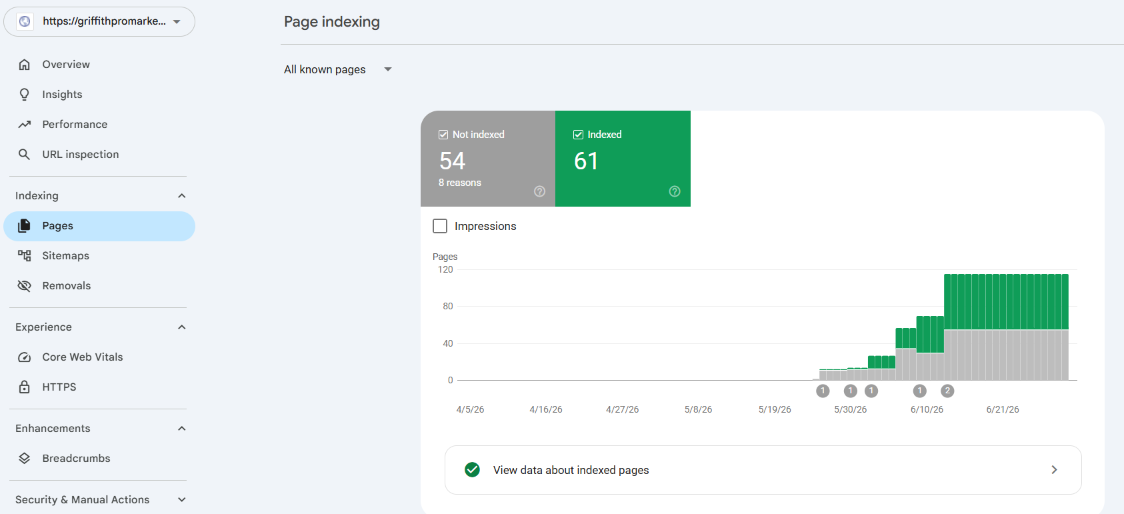
That’s the kind of number that makes you want to close the tab.
Just under half the pages Google knows about on this site weren’t actually indexed.
But a number like that doesn’t tell you anything on its own. It just tells you there’s a story underneath it worth actually reading instead of panicking at.
So I clicked into every single reason Search Console listed, one at a time, and wrote down what I found. It turned out to be three completely different problems wearing the same scary looking label.
The reasons that turned out to be fine
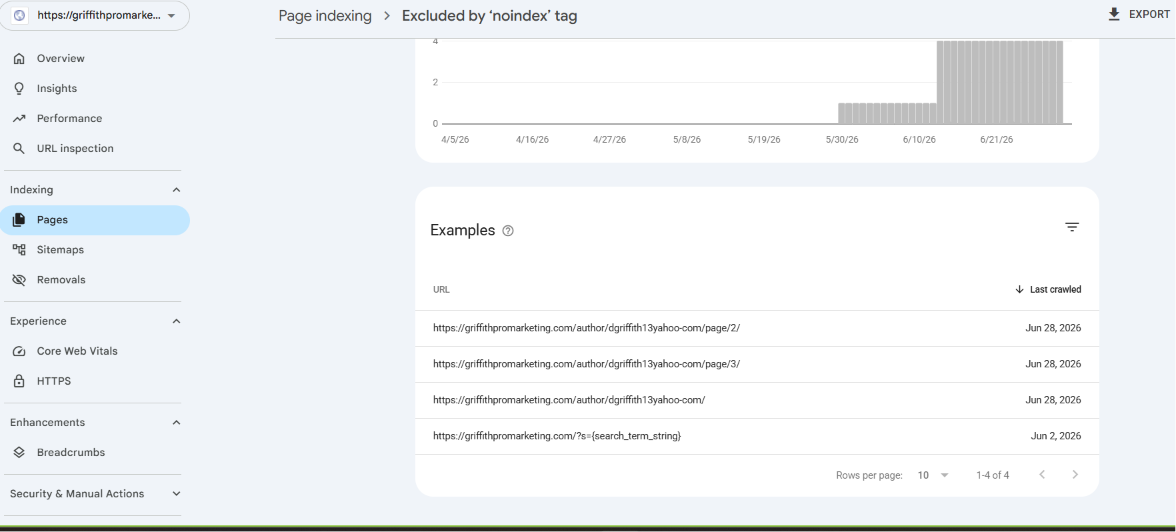
Excluded by noindex tag showed four URLs, all author archive pages and one internal search results page. That’s not a bug, that’s WordPress correctly hiding pages that were never meant to rank in the first place. Nothing to fix there.
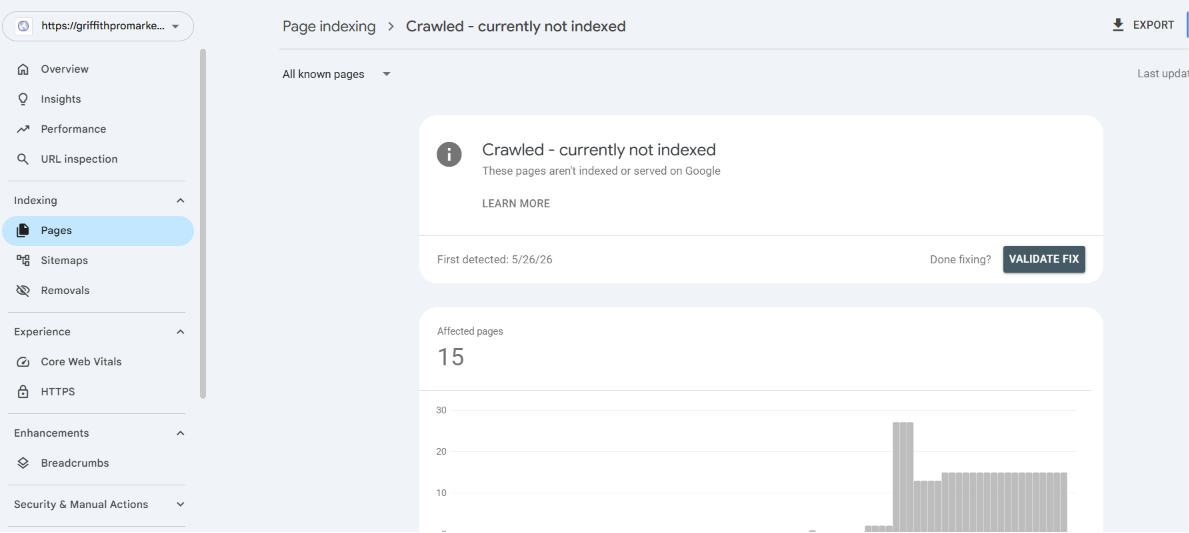
Crawled currently not indexed showed fifteen affected pages, and once I looked closer, almost all of them were RSS feed URLs, the automatic slash feed slash versions WordPress generates for every category and post. Those were never meant to be indexed as standalone pages either. Also fine.
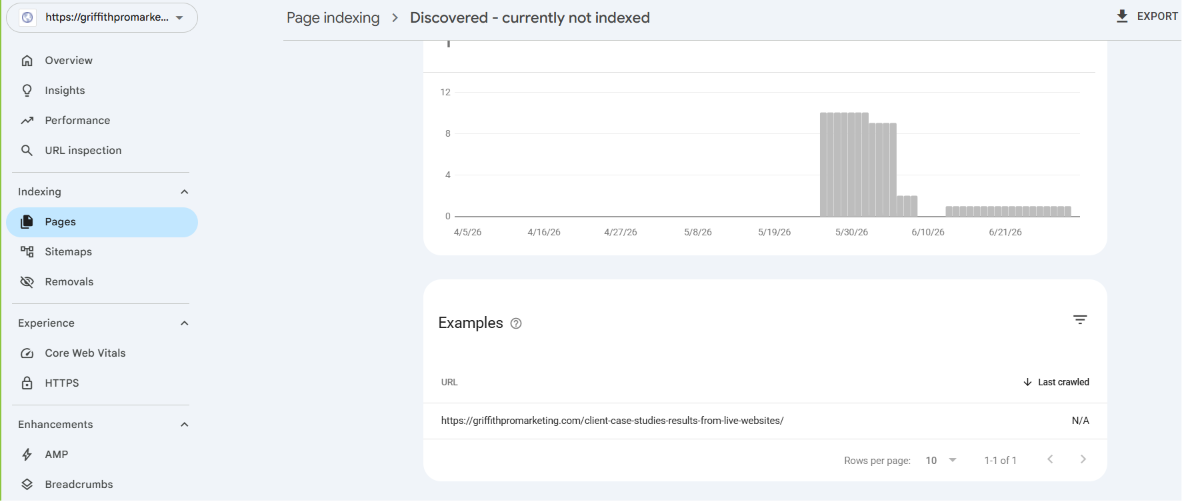
Discovered currently not indexed only had one page in it, a client case studies post that Google’s clearly seen but hasn’t prioritised crawling yet. On a site this new, that’s just normal, not something to chase.
The pattern that was actually a problem
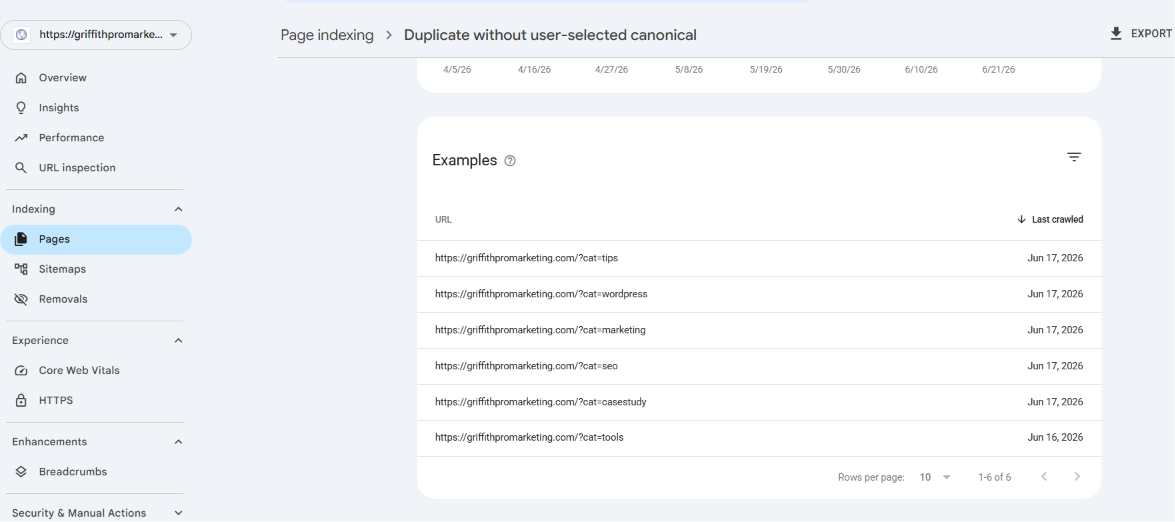
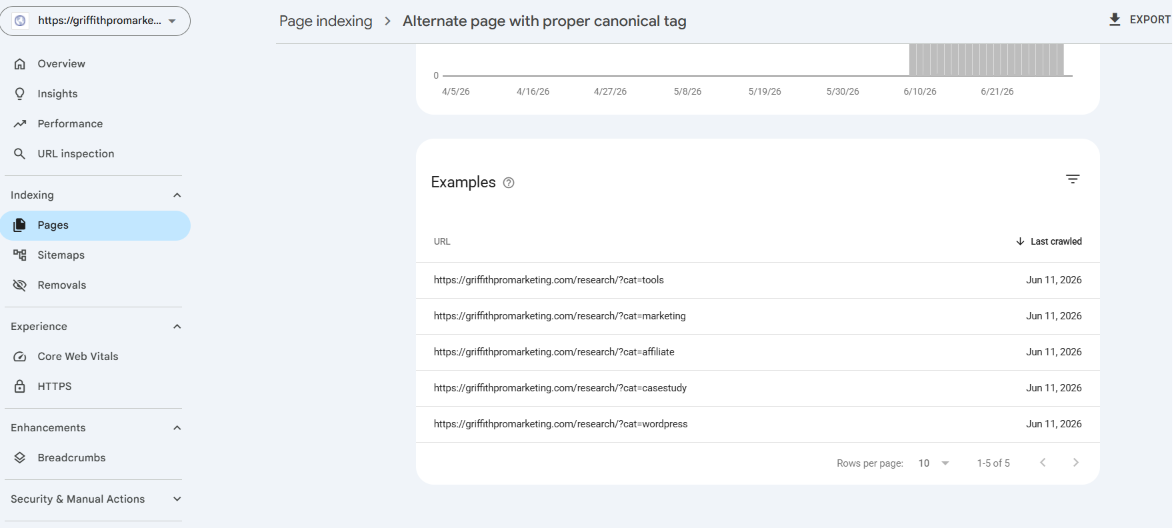
These two are where things got genuinely interesting.
Duplicate without user selected canonical showed six URLs, all filter links off my Research page, things like question mark cat equals tips, cat equals wordpress, cat equals marketing.
Alternate page with proper canonical tag showed the same five filters again, but this time with slash research slash sitting in front of them, and these ones did have a proper canonical tag pointing back to the plain Research page.
So the same category filters exist twice on this site, once at the root level with no canonical tag at all, and once under a research prefix with a canonical tag that’s actually working correctly.
That’s not a redirect problem, it’s a structural one. Two different URL patterns quietly generating the same content, and only one version of them was ever told which page is the real one.
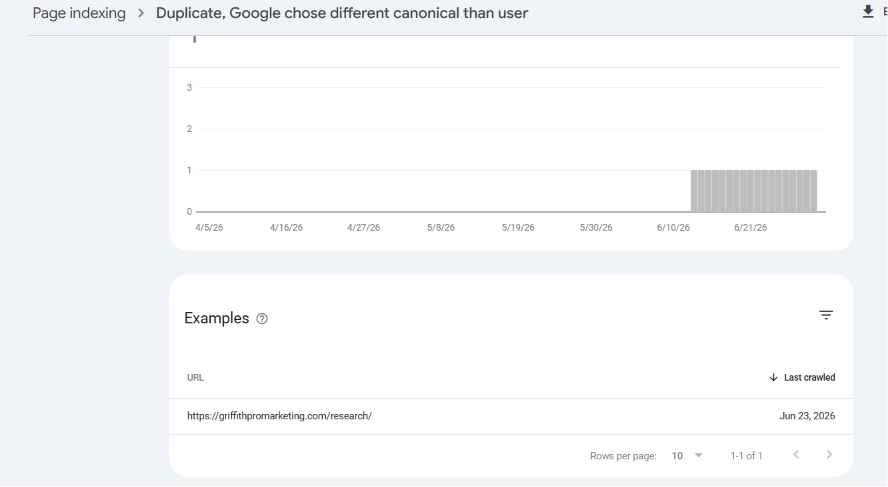
Then the Research page itself showed up a third time, under duplicate, Google chose a different canonical than user. Even the hub page’s own canonical tag isn’t being trusted.
That makes sense once you see the first two reports. Google’s genuinely confused about which version of this content is the real one, because three different patterns of the same URL are floating around with inconsistent instructions attached to each.
The pile of pages sitting behind old redirects
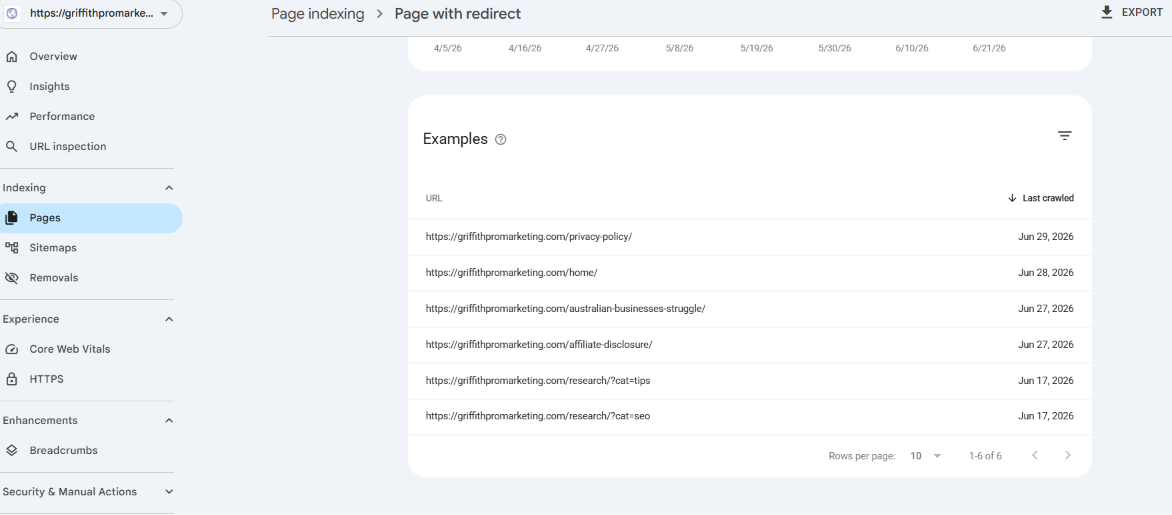
Page with redirect showed six URLs, and this is where the site’s actual history started showing through. Privacy policy, home, affiliate disclosure, and a post called australian businesses struggle, all sitting behind redirects to somewhere else.
None of these are broken exactly, a redirect doing its job isn’t an error. But six of them stacking up like this told me the same thing kept happening over and over.
A page gets renamed, and whatever pointed at the old version never gets updated to point at the new one directly, so everything runs through a redirect hop instead of going straight there.
And then the actual 404s
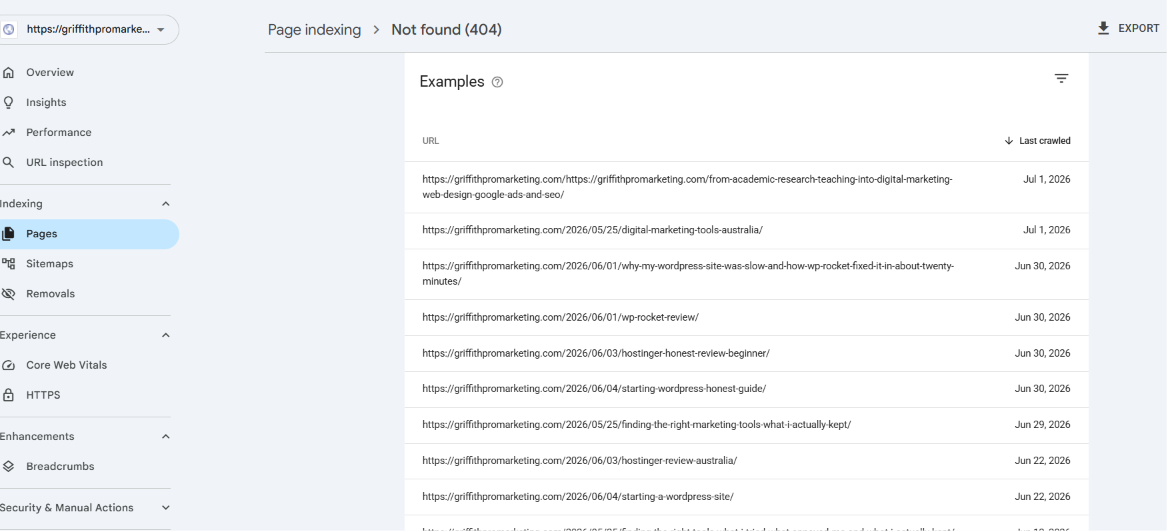
Right at the top of the not found list sat a URL I recognised immediately, the exact same doubled domain link that showed up in the very first Search Console screenshot I ever pulled for this site, months ago now.
Griffithpromarketing.com slash https colon slash slash griffithpromarketing.com slash from academic research teaching into digital marketing web design google ads and seo. It had been sitting there broken this entire time.
I’d assumed early on this might just need a straightforward redirect to fix. What I hadn’t clocked until I actually went looking was what that slug was describing.
From academic research and teaching into digital marketing, web design, Google ads and SEO isn’t an article title, it’s a career story.
And once I opened my own About page and read the actual headline, hi, I’m Dewi, and I took the long way into digital marketing, it clicked immediately. Same story, different words.
This broken URL was the original slug for my About page, from before I renamed it, and nobody had ever pointed the old one at the new one.
Actually fixing it
Fixing a redirect needs somewhere to add it, and I already had a tool sitting in the plugin folder for exactly this, I just hadn’t turned it on yet.
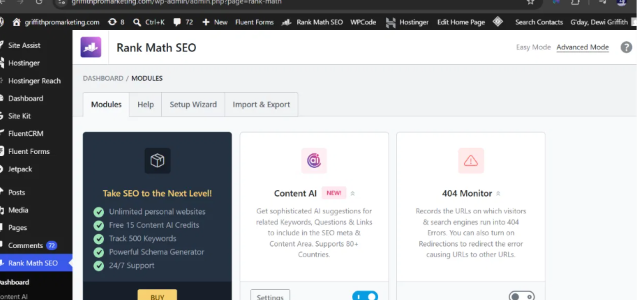
Rank Math has a Redirections module built in, sitting right there under its Modules screen alongside things like Content AI and 404 Monitor. It was switched off by default, which is honestly probably why I never noticed it was available until I went looking specifically.
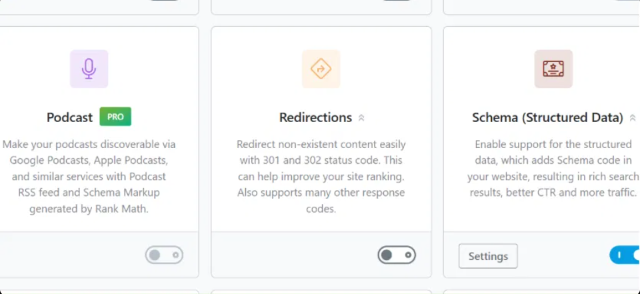
One click to switch that toggle on, and a new Redirections item shows up in the Rank Math sidebar that wasn’t there before.
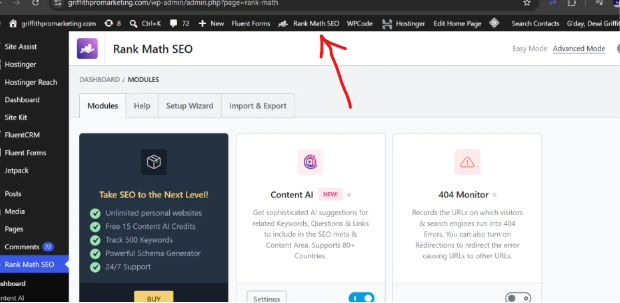
From there it’s a genuinely simple form. Source URL, the broken one. Destination URL, where it should actually go. A redirect type, 301 for permanent, since this page isn’t coming back under its old address.
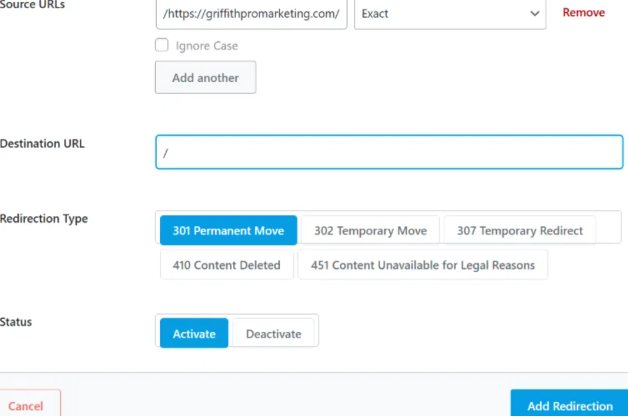
My first instinct was to point it at the homepage, since I wasn’t sure yet what the real destination was. But once I confirmed the About page story matched, I went back in and corrected the destination to point straight at the actual page instead.
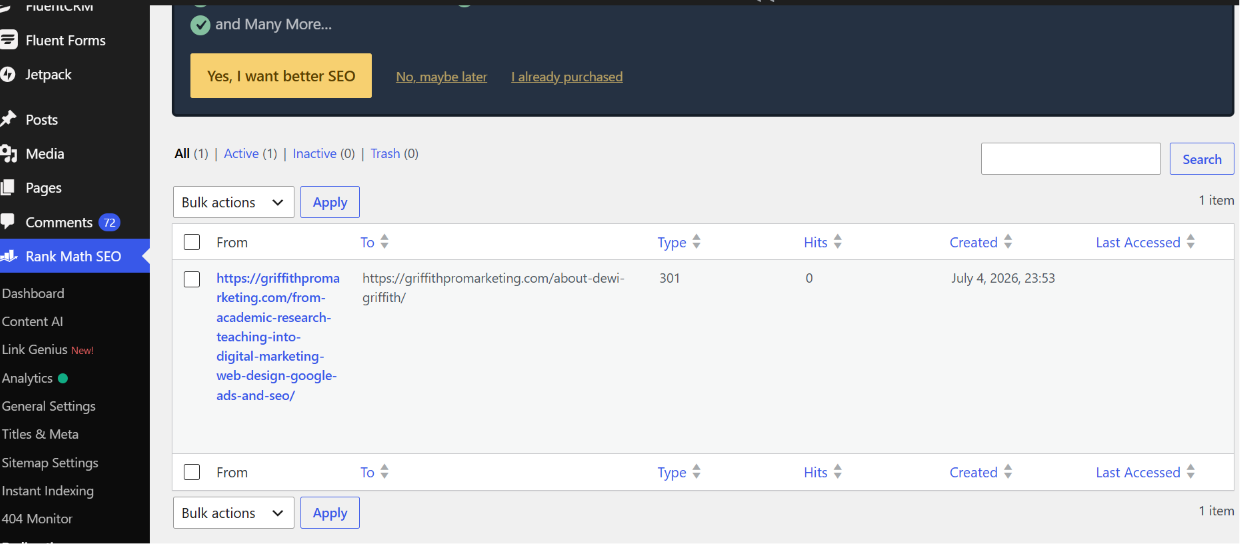
And that’s it, live. A URL that had been quietly 404ing since the very first week of this project now sends anyone who finds it, or any old link still pointing at it, straight to the actual page it was always meant to be.
What this does and doesn’t fix
I want to be honest about what a redirect like this actually solves, since it’s tempting to treat it as the whole job. It stops a dead link from being dead.
It doesn’t, on its own, fix the research page canonical mess, that’s a separate job, making sure every version of those category filters, root level and research prefixed both, points its canonical tag at the same single plain Research URL.
And it doesn’t retroactively fix the habit that caused all of this in the first place, which is genuinely the bigger lesson here. Every one of these issues, the redirects, the 404, the canonical confusion, traces back to the same root cause, changing something live without checking what else was pointing at it first.
If you’re looking at your own Search Console report and seeing a wall of duplicate content and page with redirect warnings, it’s worth resisting the urge to panic at the category label and instead clicking into each one individually the way I did here.
Some of what shows up will be completely harmless, feeds and archive pages doing exactly what they’re supposed to. Some of it will be a genuine structural issue like the research filters, worth fixing properly rather than just redirecting away.
And some of it, like this one, will turn out to be an old page wearing a URL nobody remembered to update, with a perfectly good fix sitting one toggle away in a tool you probably already have installed.
If this is the kind of thing you’d rather have diagnosed properly on your own site than dig through yourself, that’s exactly the kind of audit covered through the enquiry page. And if you want to see the first bug this project ever caught, the one that started the habit of actually checking Search Console properly instead of assuming everything’s fine, that’s the first 28 days case study.