
The Mistake That Was Slowing Down My Own Site (And How I Fixed It)
This is a WP Rocket case study I never planned on writing. It started three weeks in, when I couldn’t stop refreshing Google Search Console. I know how that sounds, but if you’ve ever launched a site from scratch, you understand the feeling. Every morning I’d open the Performance tab, scroll down to average position, and there it was, slowly creeping up the list. Page 79. Not page one, not even close, but three weeks earlier this website didn’t exist at all, and now Google actually knew it was there.
I remember sitting at my desk grinning at that number like it meant something bigger than it did. Page 79 out of who knows how many pages of results, and I was treating it like a milestone worth celebrating. In a way it was. Getting indexed, getting crawled, showing up in the sitemap reports with dozens of discovered URLs, that’s real progress for a brand new site, exactly the kind of thing I’d tell someone to expect if they asked me why a new website doesn’t rank yet. But if I’m being straight with myself, page 79 doesn’t send anyone to your site. Nobody scrolls that far. I knew that logically, yet the excitement of simply existing in the results was enough to keep me checking every single day like it was a garden I’d just planted.
That early excitement is a strange thing. It makes you feel like the hard part is over when really it’s just getting started. I’d built the content, set up the categories, published the case studies, and watched the sitemap fill up with pages Google was reading successfully. Seventy pages discovered, sitemaps processed, no errors. From where I was standing, that looked like a job well done.
But good progress isn’t the same as good enough, and I knew if I wanted this site to actually mean something, page 79 needed to become page one, or at the very least page two or three where people might actually scroll to. I needed a push, and I needed to be straight with myself about where the real gaps were, not just celebrate the fact that the lights were on.
So I went back to basics and asked the question I ask every client who comes to me frustrated about their traffic. What’s actually stopping someone from staying on this site once they land on it? And the answer, once I stopped being precious about my own work, was staring me right in the face. Speed. My homepage was loading at 4.1 seconds. Google has been telling site owners for years that anything over 2.5 seconds starts costing you rankings and costs you people, and here I was, the person writing articles telling small business owners to fix their website speed, sitting on a 4.1 second load time myself.
There’s a particular kind of sting that comes with catching yourself not practicing what you preach. I’d written a whole piece about how slow sites bleed conversions before a visitor even sees the offer, and my own site was doing precisely that. So I decided the excitement I had about ranking progress needed to turn into something more useful than checking Search Console every morning. It needed to turn into actually fixing the thing that was quietly working against me.
I already knew the tool I wanted to use, because I’d recommended it to readers more than once. WP Rocket. I’d read the reviews and written about it before, understood the theory, written about its caching and minification features from a distance. What I hadn’t done was actually install it myself and feel what that process was like from the other side.
So I opened my WordPress dashboard, clicked into Plugins, then Add New, and typed “WP Rocket” into the search bar the same way I would with any free plugin. Nothing came up. I checked my spelling, tried again, still nothing. For a moment I genuinely wondered if I’d remembered the name wrong.
Turns out that’s completely normal, and if the same thing just happened to you, you haven’t done anything wrong. WP Rocket is a premium plugin, which means it lives entirely outside the free WordPress.org plugin directory. That search bar only pulls results from the free repository, so no amount of retyping or respelling was ever going to make it appear.
Once I understood that, the actual process turned out to be simple, just not where I expected it to be. I bought the license directly, which handed me a zip file to download rather than an install button to click. If you’re still weighing whether a paid tool is worth it over a free one, that’s a fair question, and it’s exactly what I compared in detail here. Back in the dashboard, on that same Add New Plugins screen, there’s a small Upload Plugin button sitting at the top, easy to miss because your eye naturally goes straight to the big search bar underneath it. That’s the one you actually need.
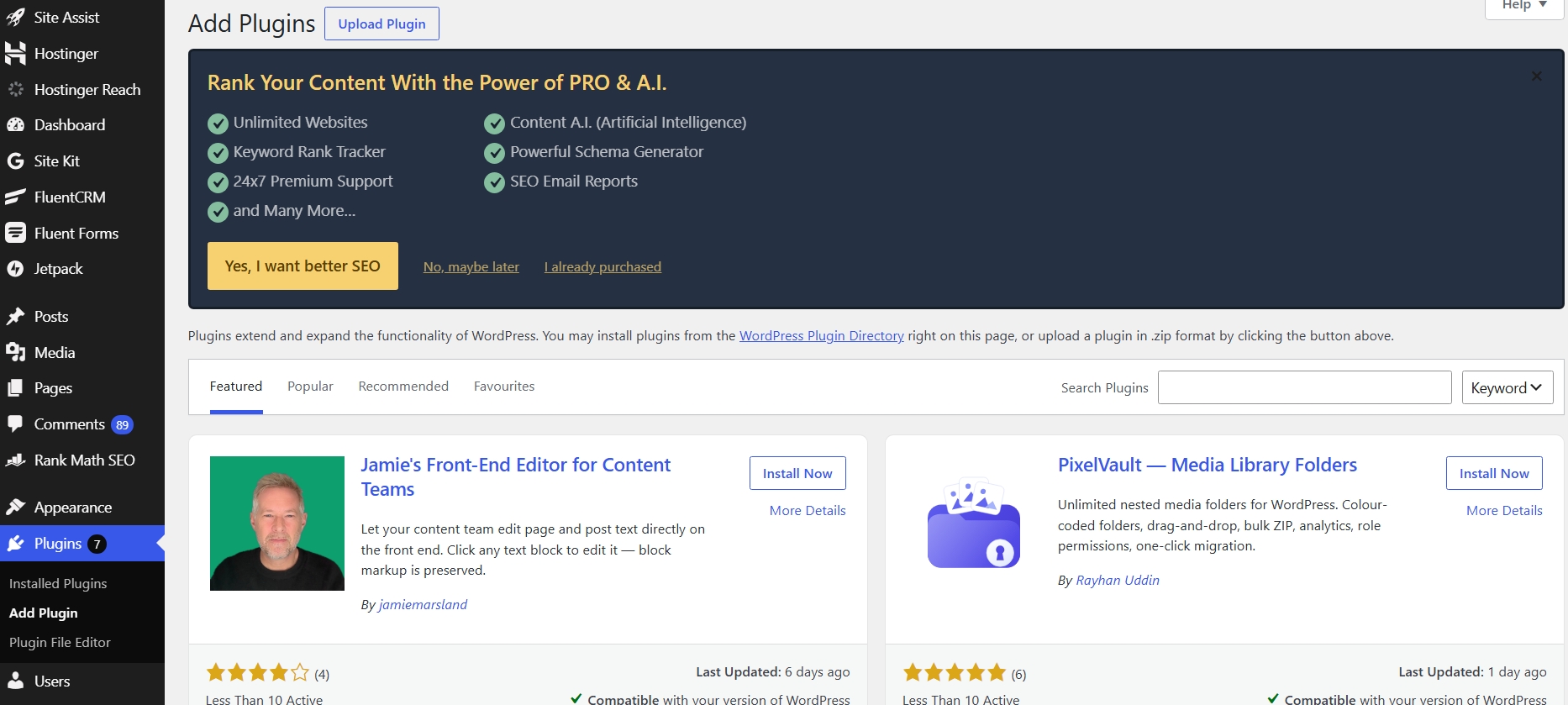
Clicking it drops you onto a plain little upload box that just sits there waiting for a file. No search results, no plugin cards with star ratings, just a quiet “choose file” prompt.
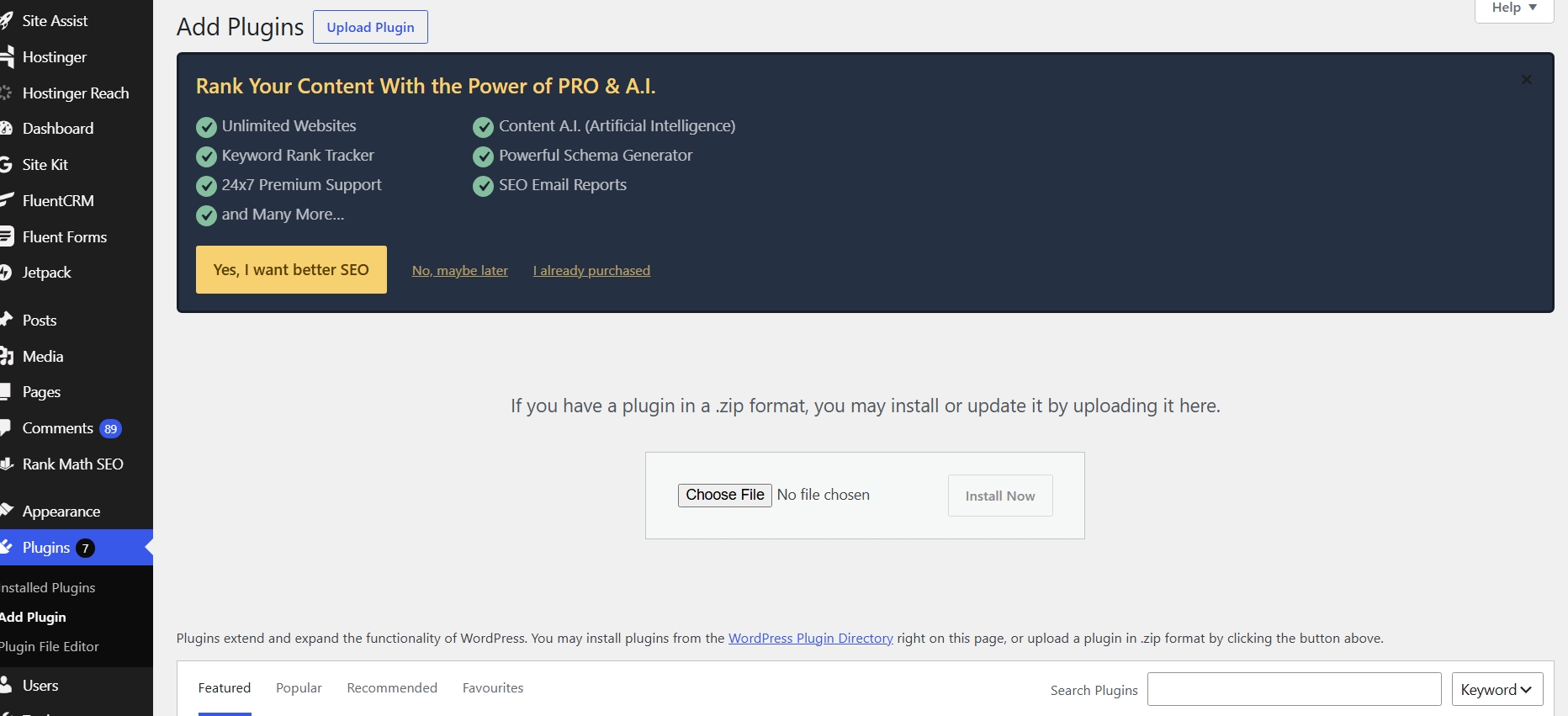
I picked the zip file I’d downloaded after buying the license, watched it appear next to the button, and hit Install Now.
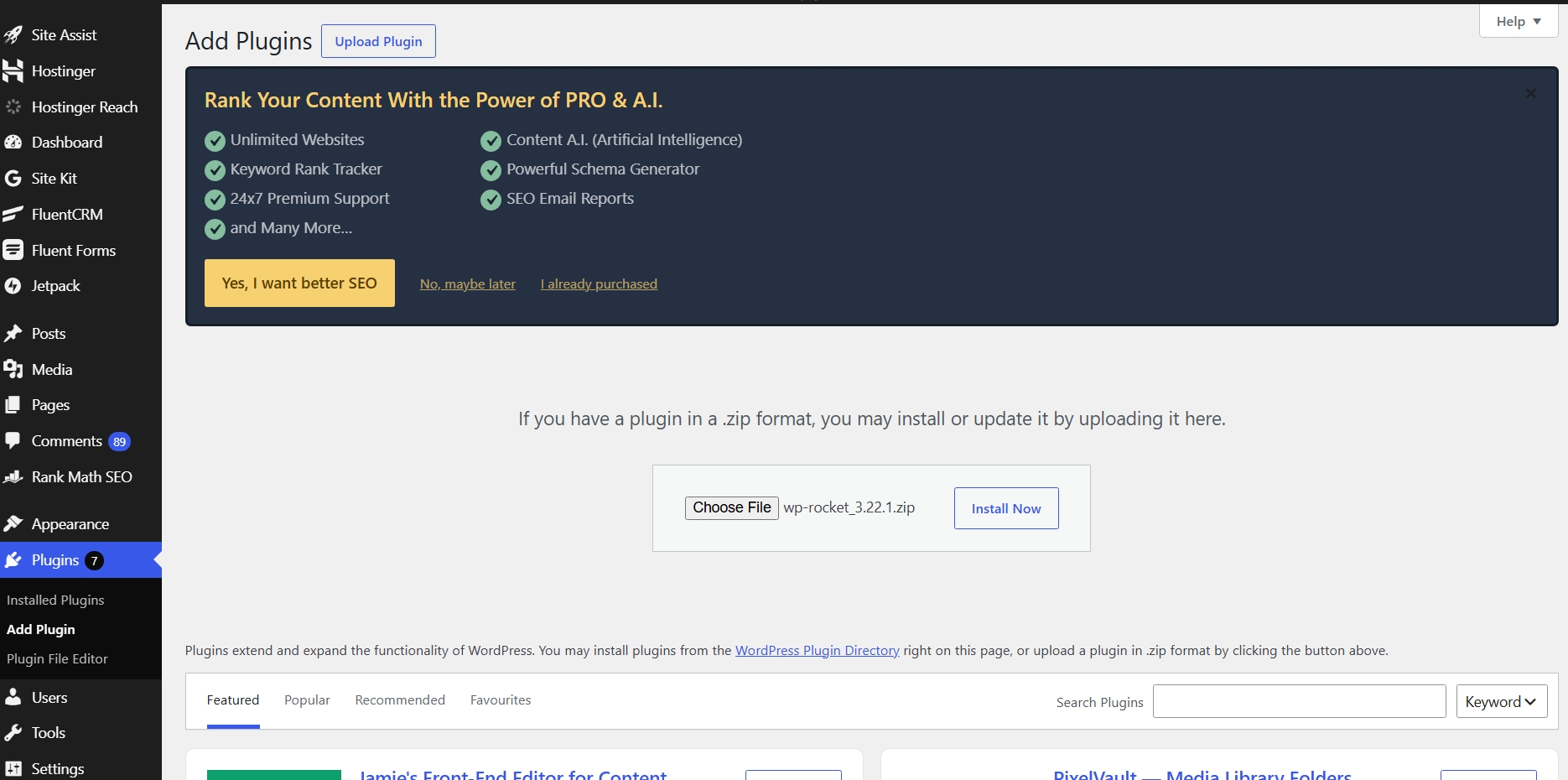
A few seconds of unpacking and installing later, I had a plain “Plugin installed successfully” message with an Activate Plugin button sitting right there waiting.
I clicked Activate, feeling fairly confident at this point. That confidence lasted about ten seconds. WP Rocket threw up a warning almost immediately.
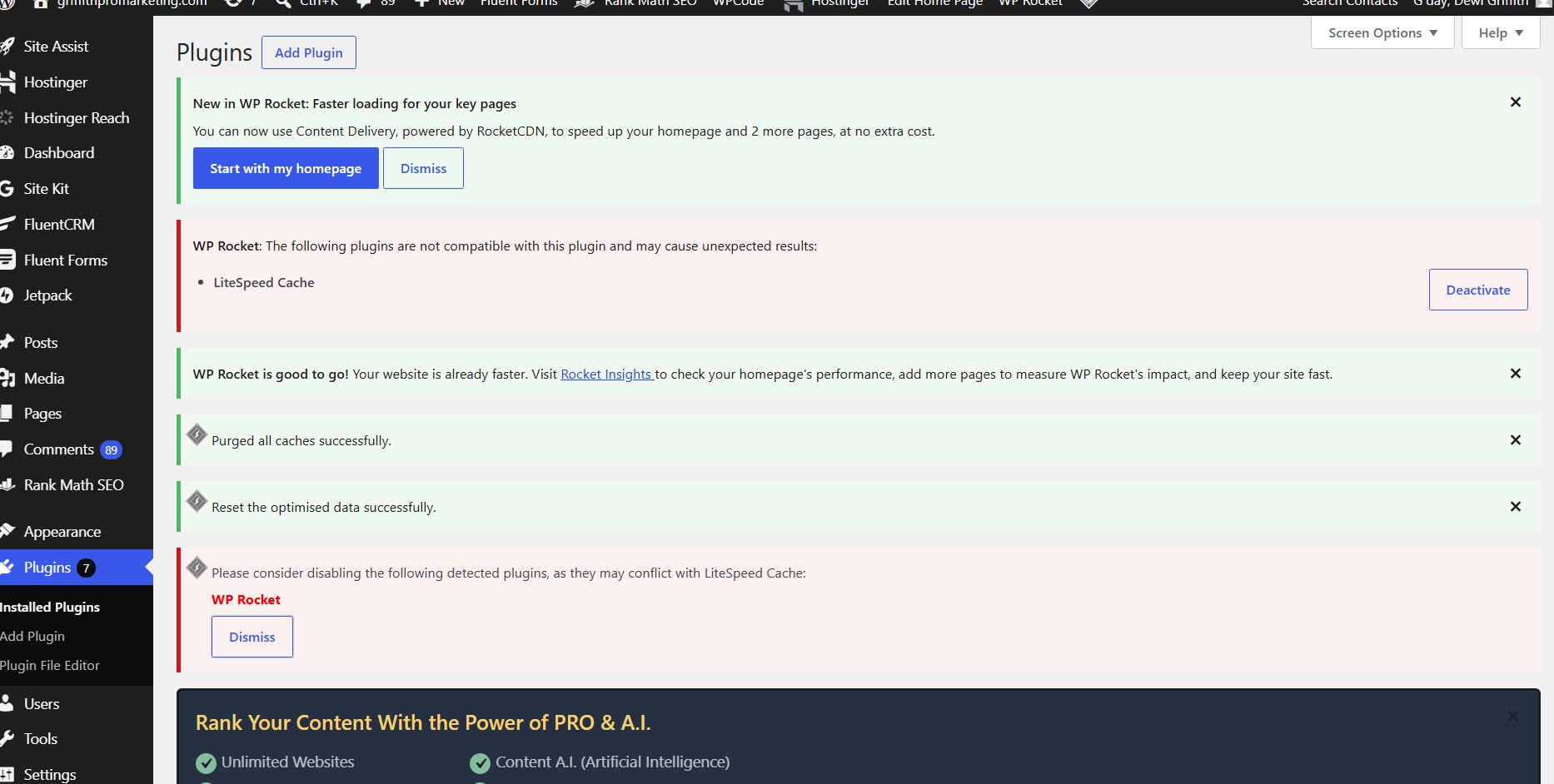
It told me LiteSpeed Cache, a caching plugin I already had running on the site, wasn’t compatible with WP Rocket and could cause unexpected results. My stomach dropped a little, I won’t pretend otherwise. Nobody wants to see a compatibility warning pop up on their own live site, especially not one they’re actively trying to improve.
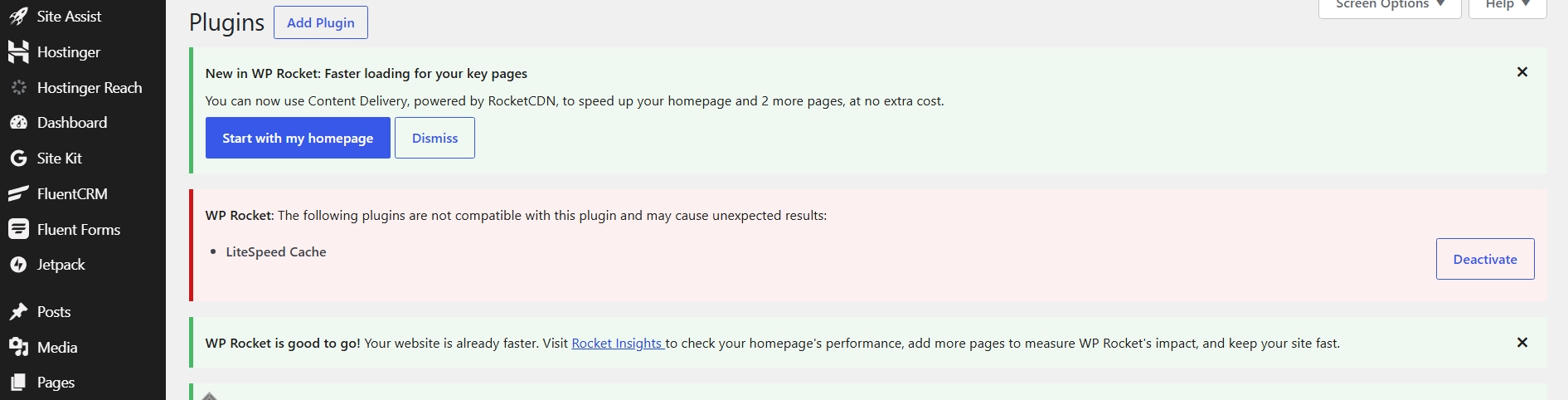
Once the initial jolt passed, it made complete sense. Two caching plugins fighting to control the same territory at the same time is a recipe for a broken site, not a faster one. Each one wants to manage what gets stored, what gets served, and how the server responds, and having both active is asking for trouble. So I went and deactivated LiteSpeed Cache.
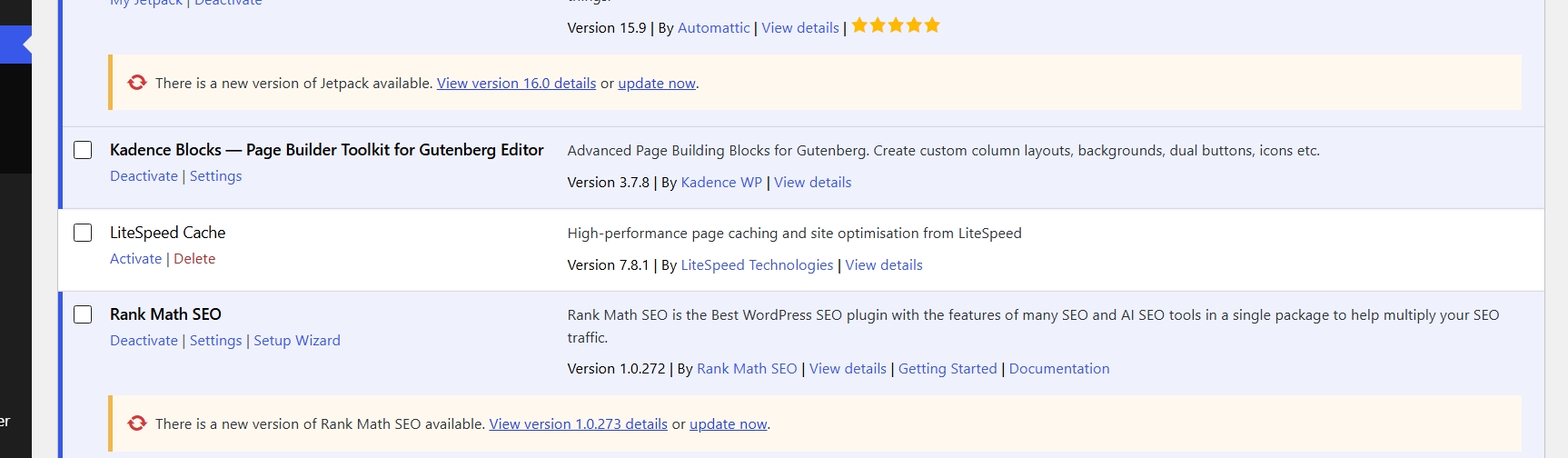
WP Rocket noticed the change right away and nudged me to clear the cache, just to make sure nothing left over from the old setup was still lingering in the background and quietly serving a stale version of the site to visitors.
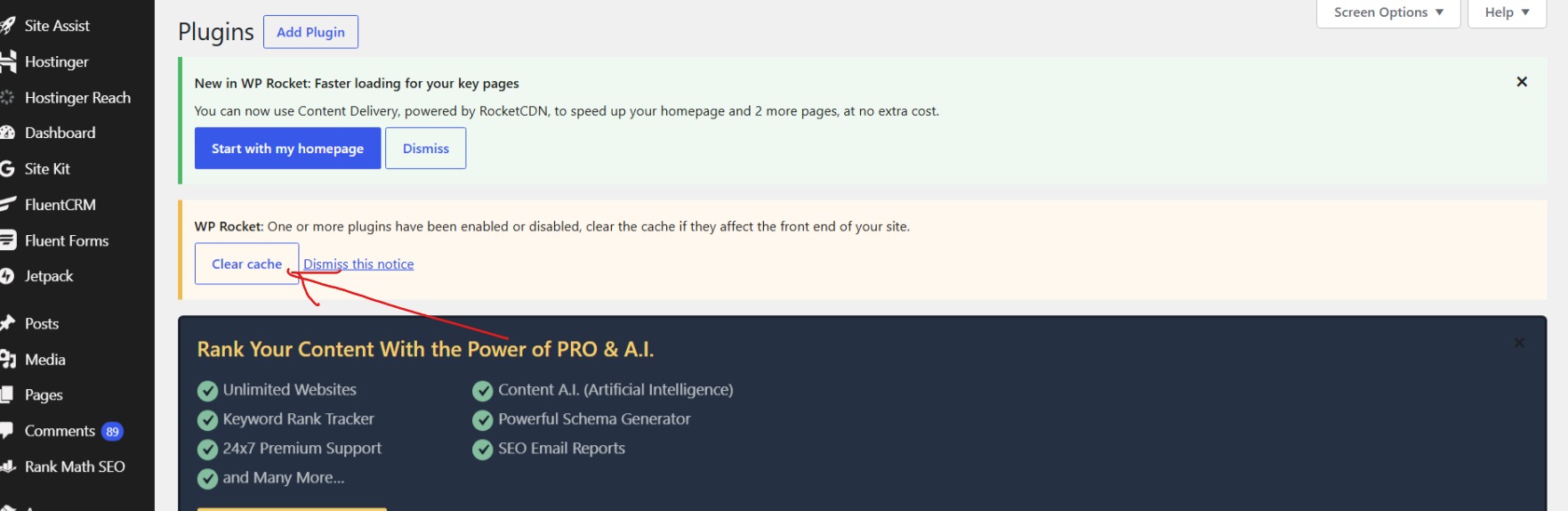
I clicked it, waited a moment, and got the confirmation I was hoping for.

From there, the rest of the process was less dramatic, which came as a relief after that conflict warning. I went through WP Rocket’s settings one section at a time instead of flipping every switch at once, because I didn’t want to risk breaking something I couldn’t easily trace back to a single change. I turned on file optimization to minify the CSS and JavaScript, enabled lazy loading for images and iframes so nothing loads until someone actually scrolls to it, and worked through a handful of recommendations the plugin itself suggested, things like delaying JavaScript execution until a visitor interacts with the page and deferring JavaScript so it downloads in parallel instead of blocking everything else.
After each change I opened my homepage in an incognito tab and clicked around, checked the menu, checked a couple of blog posts, made sure nothing had quietly stopped working while my back was turned. Nothing did, which felt like a small win in itself given how tense that earlier warning had made me.
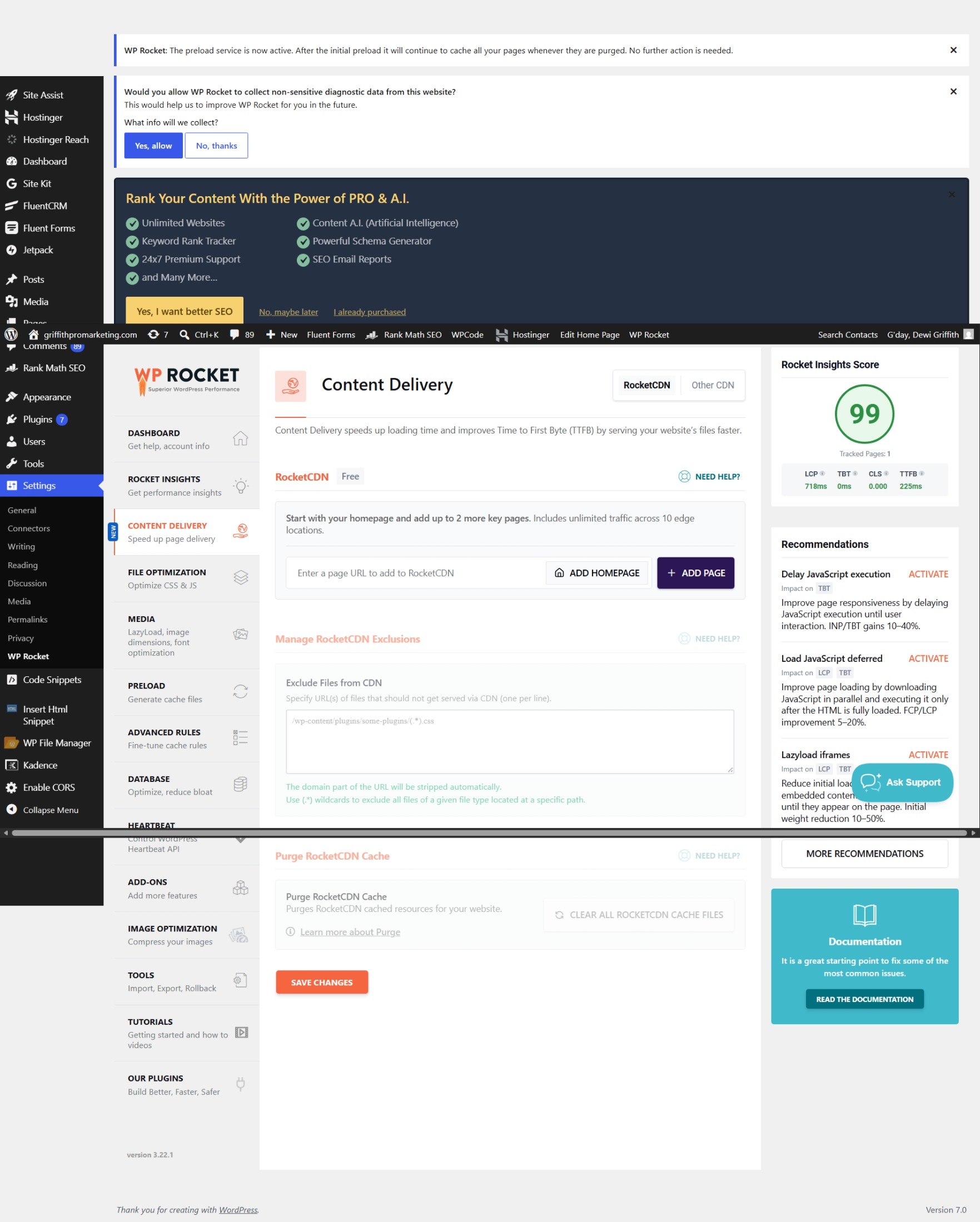
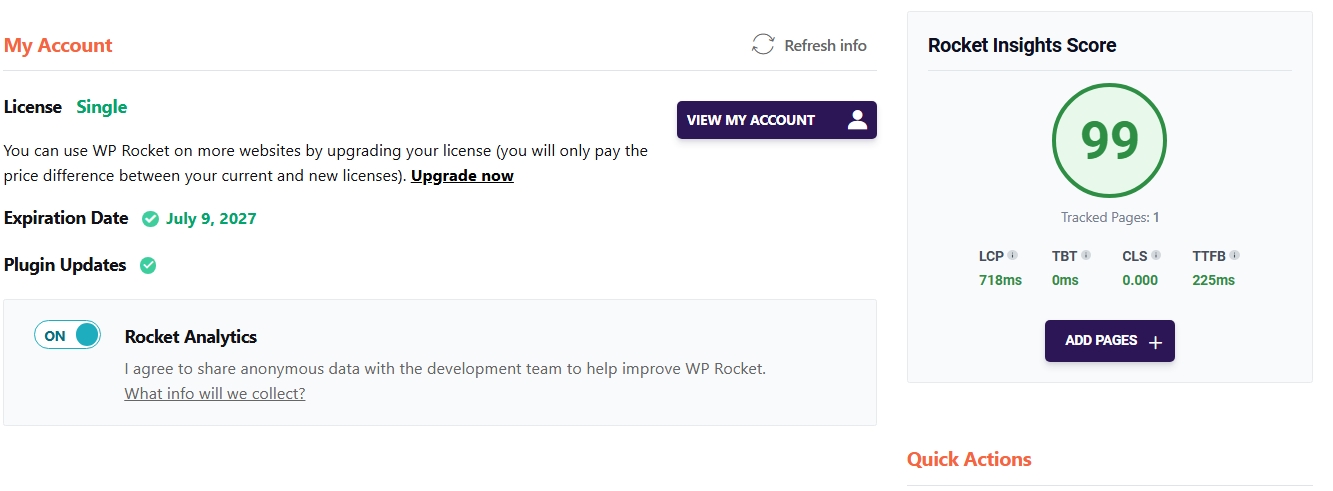
Then came the number that made the whole slightly nerve-wracking afternoon worth it. My LCP, which had been sitting stubbornly at 4.1 seconds since launch, dropped to 718 milliseconds. My Rocket Insights score landed at 99. I sat there for a second just looking at it, half expecting the page to refresh and show me the old number again.
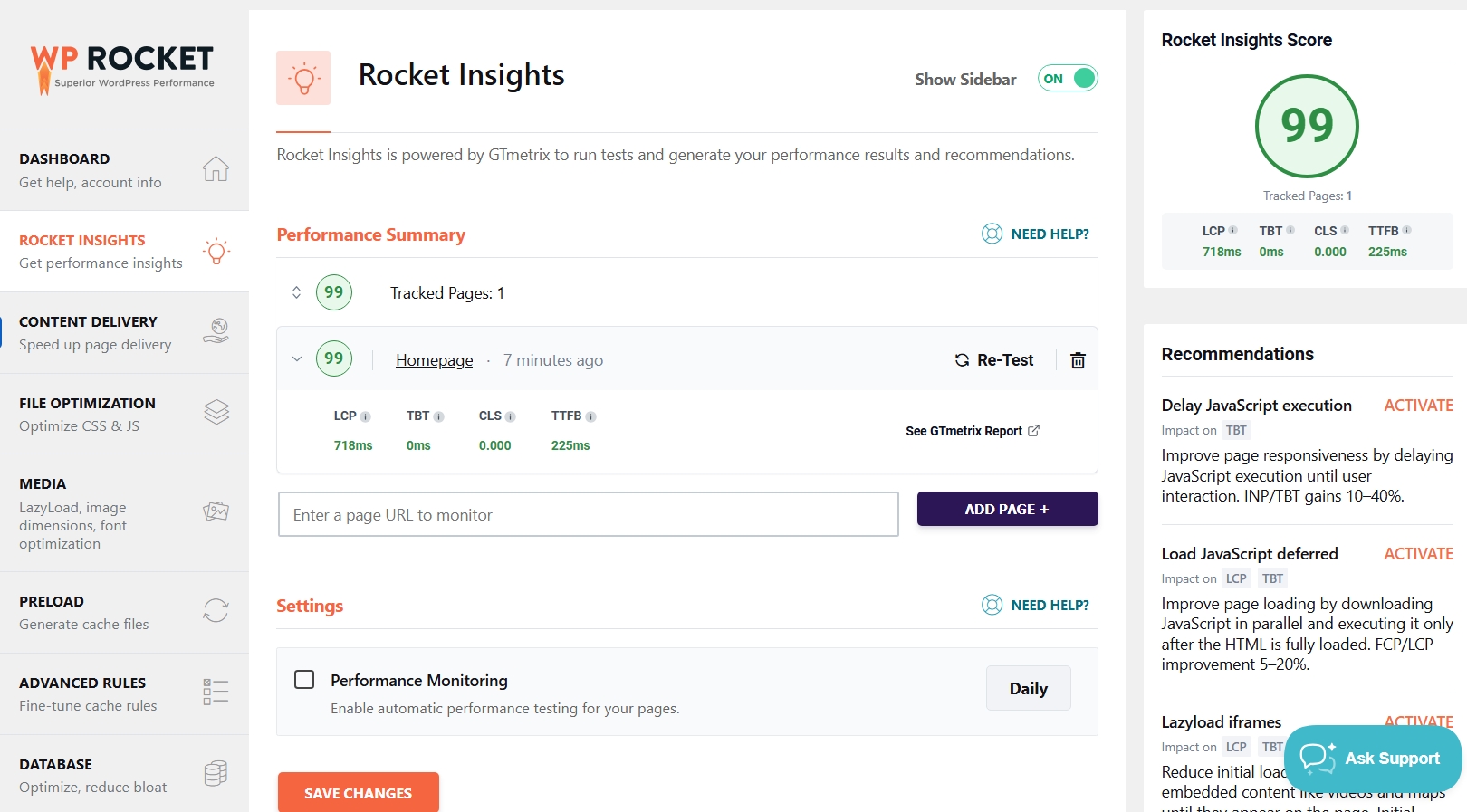
I wasn’t quite ready to trust it yet, so I ran it again through the full Rocket Insights dashboard to double check it wasn’t a fluke or a cached result flattering itself. The number held.
This is the exact plugin that took my site from 4.1s to 718ms.
Get WP Rocket →Looking back at that whole afternoon, and back further to that grinning version of myself checking Search Console every morning for a page 79 ranking, I can see the two moments belong to the same story. Excitement about early progress is a good sign. It means you care, it means you’re paying attention to whether the thing you built is actually working. But excitement on its own doesn’t fix a slow homepage, and it doesn’t turn page 79 into page one. Only actually going in and doing the unglamorous work does that.
What surprised me most wasn’t the plugin itself, since caching and minification are concepts I already understood well enough to explain to a client in five minutes. What surprised me was the friction around actually getting there. Searching for something that isn’t where you expect it to be. Second-guessing a compatibility warning that pops up right when you think you’re almost done. Wondering, even briefly, if you’ve made your own site worse instead of better. That friction is real, and it’s exactly the kind of thing that makes people quit halfway through and go back to living with a slow site, telling themselves they’ll deal with it later.
I didn’t quit, and I think that’s the part worth sharing more than the final numbers themselves. If you’re after a WP Rocket case study with real, unedited numbers rather than a marketing page’s cherry-picked screenshot, this is it. Going from 4.1 seconds down to well under a second isn’t just a nice statistic to put in a case study. It’s proof, mostly to myself, that the advice I give clients is something I’m willing to sit down and actually do, mistakes, warnings, and all. Page 79 is still a long way from page one, and speed alone won’t close that gap by itself. But a fast site gives whatever content and whatever rankings I do earn a fair shot at actually keeping someone once they land there, instead of losing them in the first four seconds before they’ve even seen what the page is about.
If you’re sitting somewhere similar right now, a few weeks into a new site, feeling that same mix of excitement and impatience I felt watching my ranking creep up one position at a time, take it as a good sign that you care. That instinct to check, to want more, to feel proud of small movement while also knowing it’s not enough yet, is exactly what keeps a project moving forward instead of stalling out after launch.
Just don’t let that excitement stop at the checking stage. It’s easy to mistake watching your numbers improve for actually doing the work that improves them. Page 79 didn’t need me to refresh Search Console more often, it needed a faster site underneath it, better internal linking, and content that actually answered what people were searching for. The speed fix was simply the first domino, the one that was cheapest and fastest to knock over once I stopped admiring my own progress long enough to look for it.
So go check your own load time, because there’s a decent chance it’s quietly working against everything else you’re doing, no matter how good your content is or how excited you are about the early signs of progress. If you want a place to start beyond just speed, I put together a free 20-point checklist covering the same speed, SEO, and conversion issues I go through with clients.
If you want to skip some of the confusion I went through, at least now you’ll know exactly why WP Rocket doesn’t show up in the plugin search, and exactly what to do about it.
Ready to fix your own site’s speed?
Try WP Rocket — the plugin behind these results
Get WP Rocket Now →